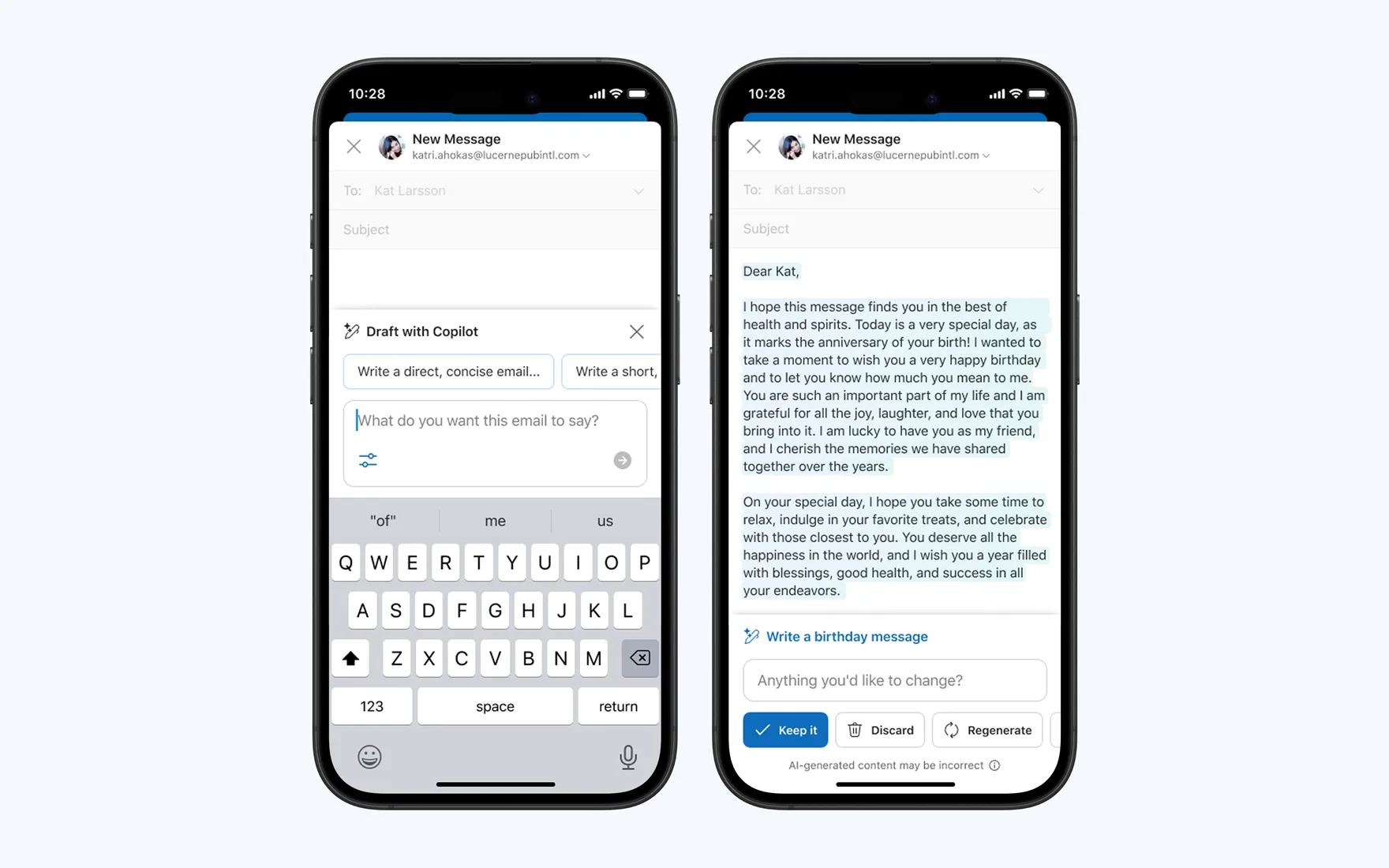
Draft with Copilot. Help me write emails faster by turning a few bullets into a complete email, generating a first draft from thread context, and reducing blank-page anxiety.



Back when generative AI was in its infancy, Microsoft was building Copilot, our AI assistant to help users shorten the gap between intent and outcome. As lead designer, I helped ship and integrate an agentic chat system from 0-to-1, scaling the experience from 170K → 14.2M WAU. My role was dynamic and diverse, ranging from defining foundational product principles with cross-org design partners, architecting the first set of widgets, evangelizing how chat interacts with the canvas, differentiating chat’s value in product apps vs. standalone, and strategizing with eng, PM, research, and content partners.
Role: Lead product designer
Themes: Interaction design, prototyping, creative direction, product strategy, multi-platform execution
A high level snapshot of this project's impact on the business, users, and overall product experience.
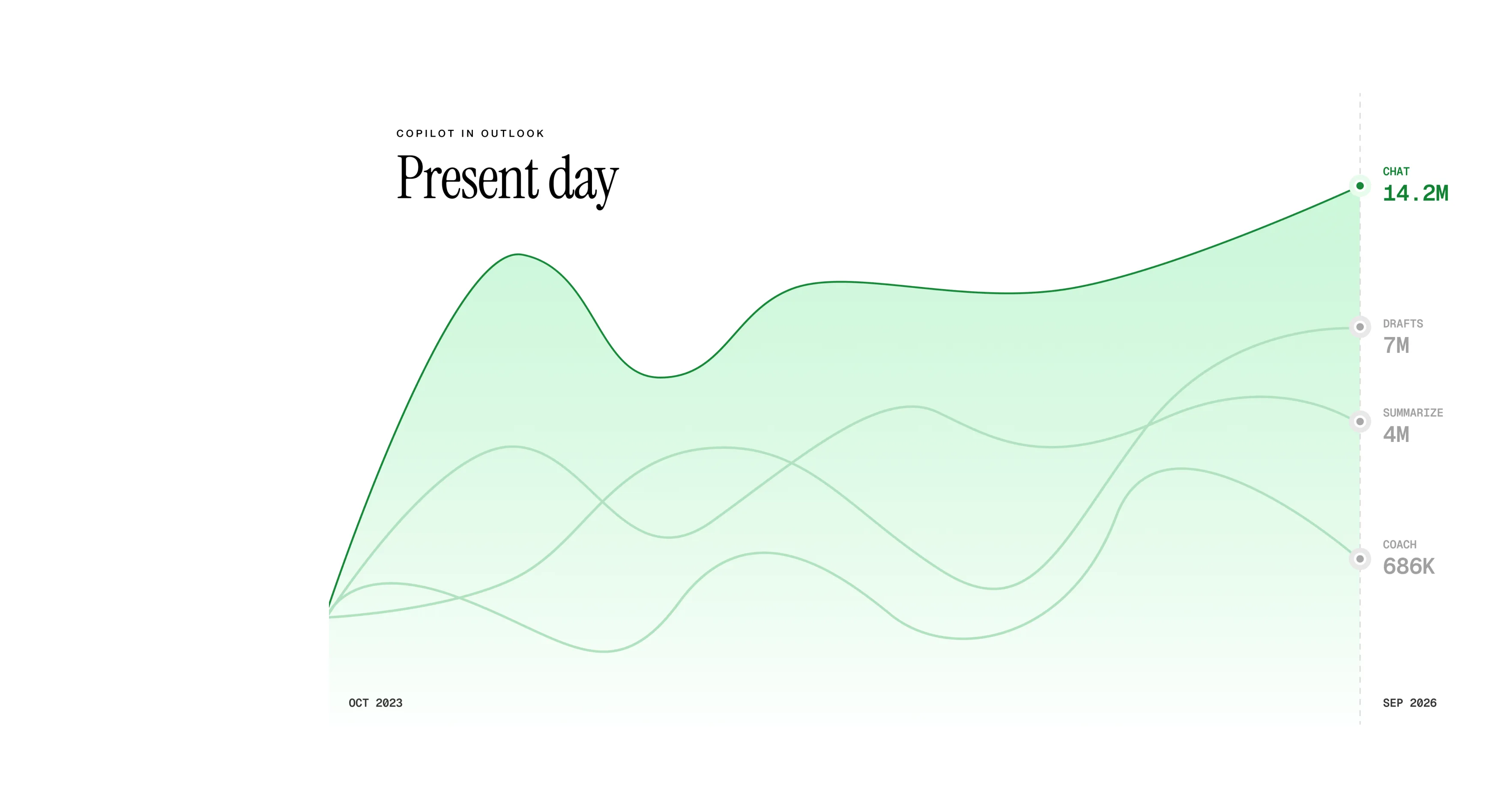
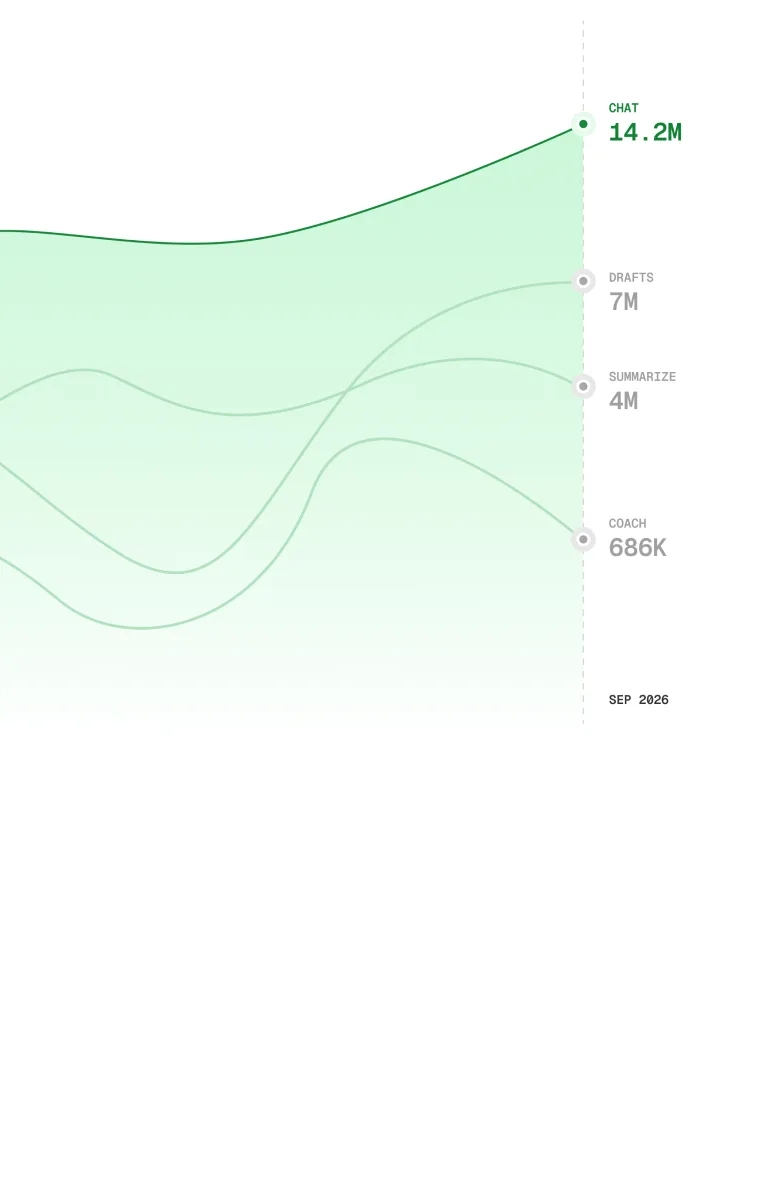
Grew Copilot Chat from 170K to 14.2M users by evolving an inherited App Chat experience into an Outlook-native product, redefining how AI fit into everyday email workflows.
Early on, Outlook believed its differentiation was in building native experiences that built on our unique experiential workflows. Back in early 2023, it wasn't natural for a user to wake up wanting to chat with an agent. They simply want to get through email, understand conversations, write better messages, and stay on top of their inbox. AI should first improve those jobs directly. Chat is valuable, but it should amplify our core workflows rather than replace them.
*I didn't design the first set of these experiences but they're here to set the context.
Draft with Copilot. Help me write emails faster by turning a few bullets into a complete email, generating a first draft from thread context, and reducing blank-page anxiety.
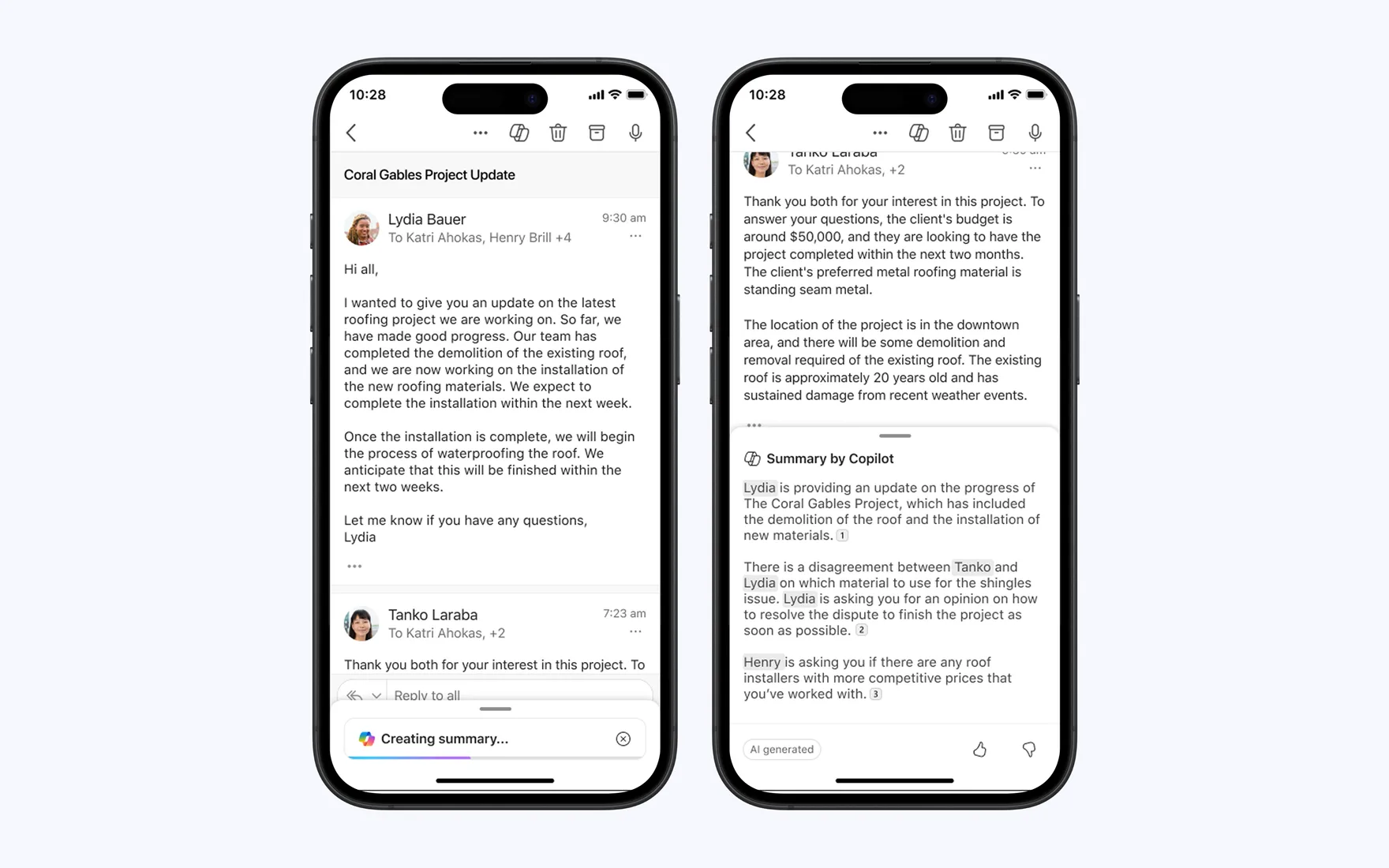
Summarize with Copilot. Help me understand before I act by synthesizing long email threads and getting to the essence of the email quickly so I can prioritize.
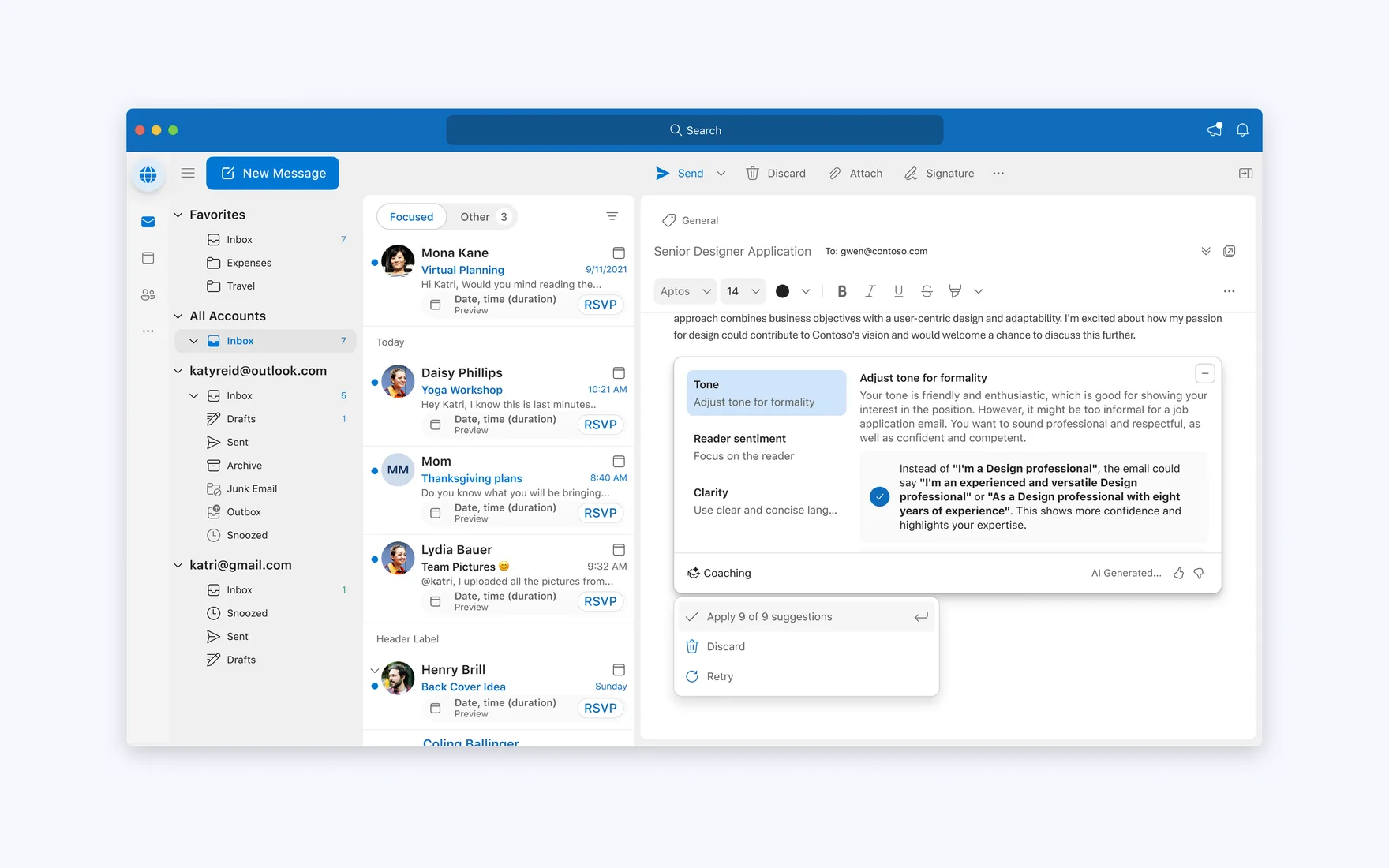
Coaching with Copilot. Help me communicate more effectively and increase my confidence before I hit Send by improving tone and reducing communication mistakes.
Draft with Copilot. Help me write emails faster by turning a few bullets into a complete email, generating a first draft from thread context, and reducing blank-page anxiety.
Summarize with Copilot. Help me understand before I act by synthesizing long email threads and getting to the essence of the email quickly so I can prioritize.
Coaching with Copilot. Help me communicate more effectively and increase my confidence before I hit Send by improving tone and reducing communication mistakes.
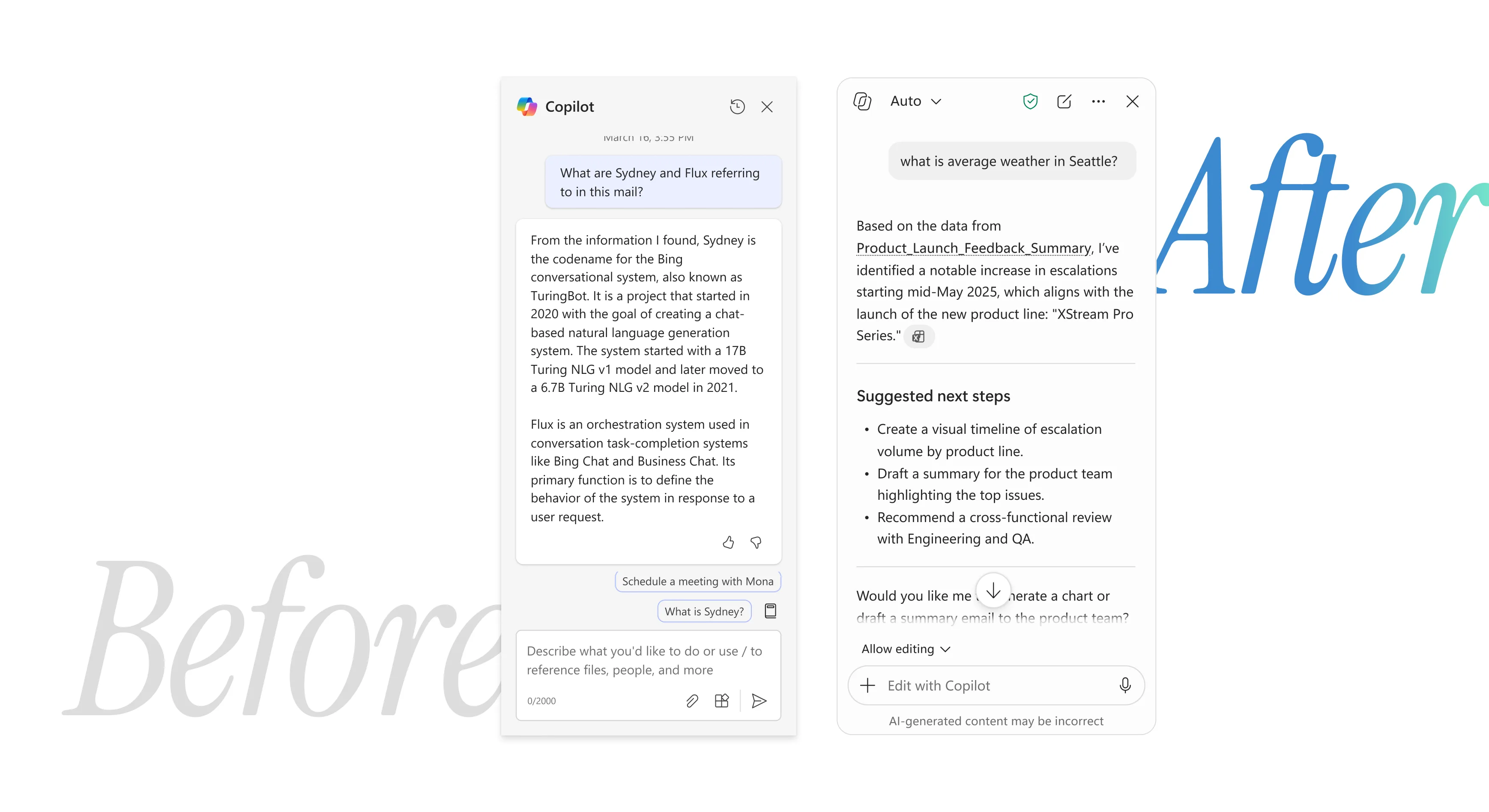
As our on-canvas experiences matured, my role was to work with partners across Office (e.g., Word, Excel, Powerpoint, Loops, OneNote, and many more) and the core Copilot Chat team to define what Chat should look and feel like in the apps. Along with these design partners, I spearheaded experiential principles, in-app and cross-app interaction guidance to establish coherency.
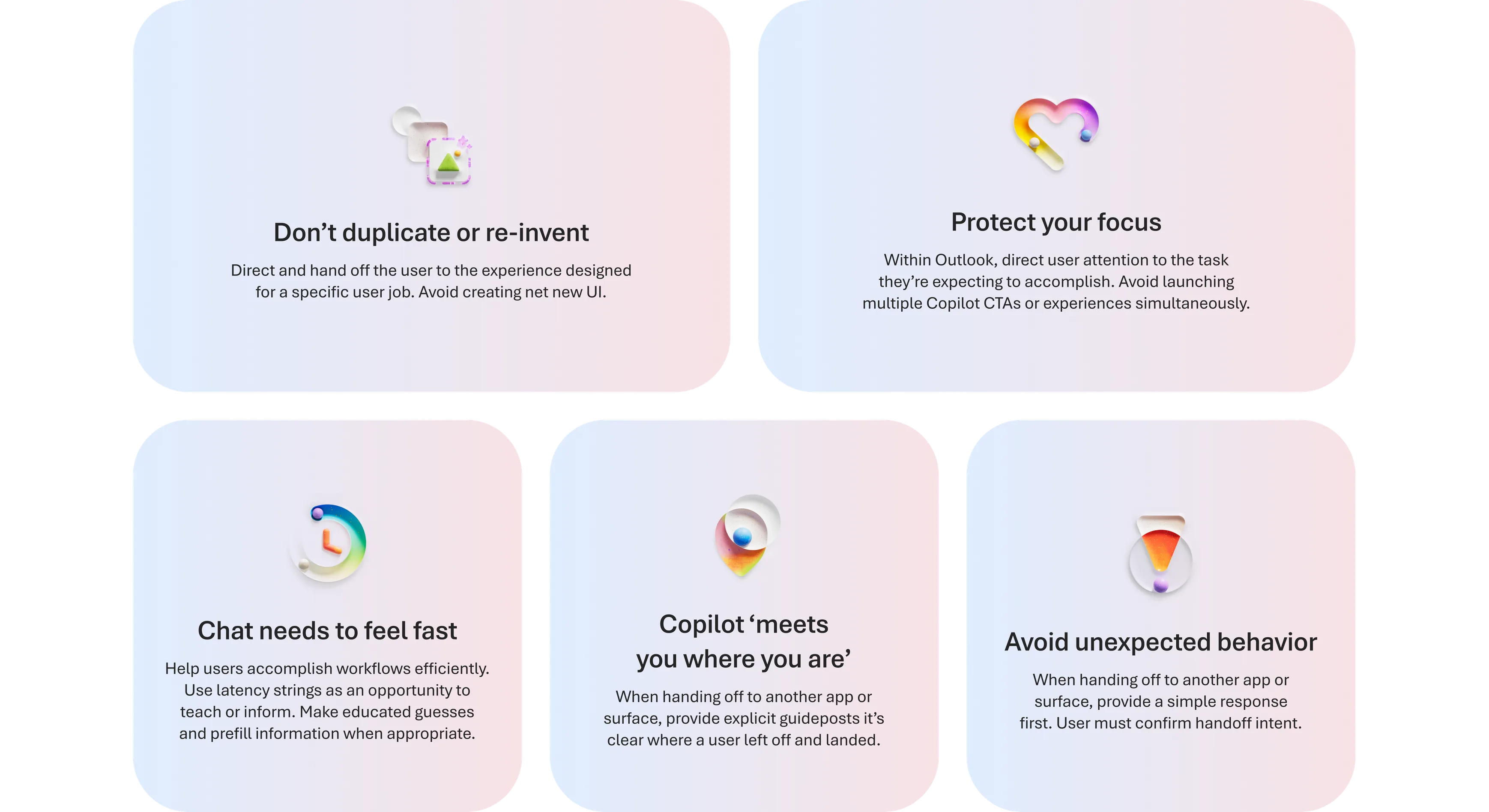
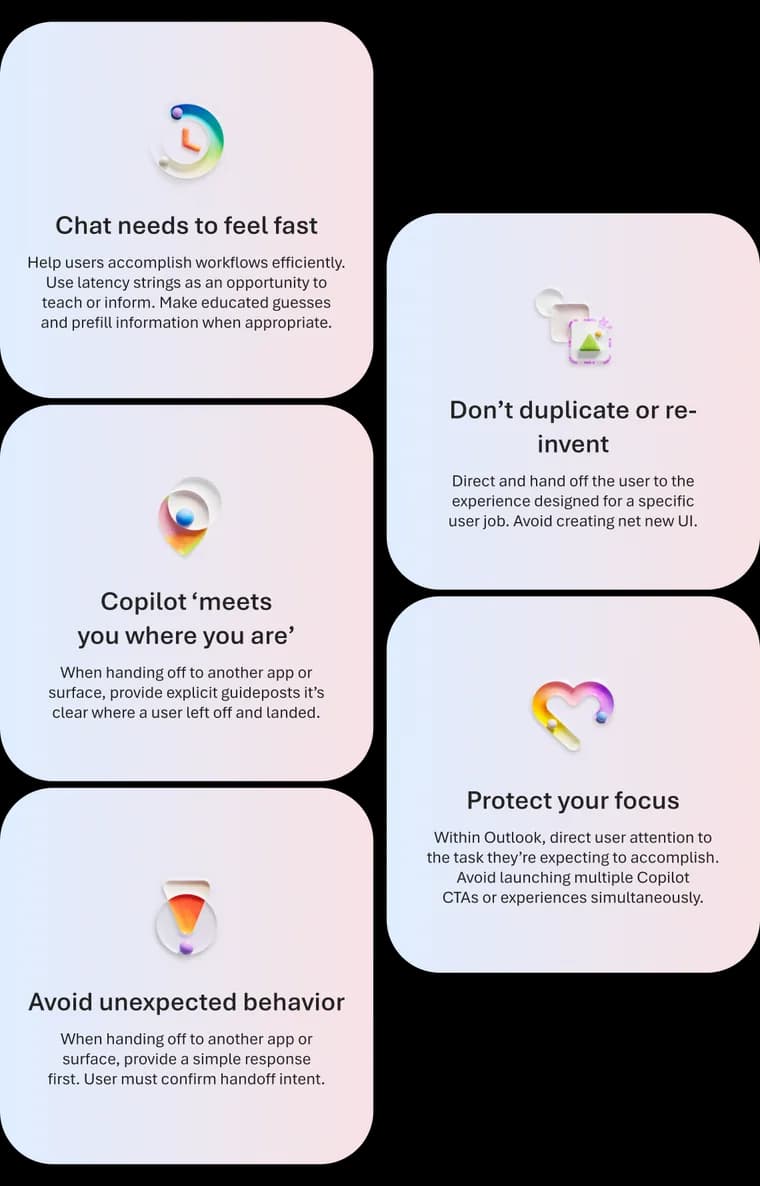
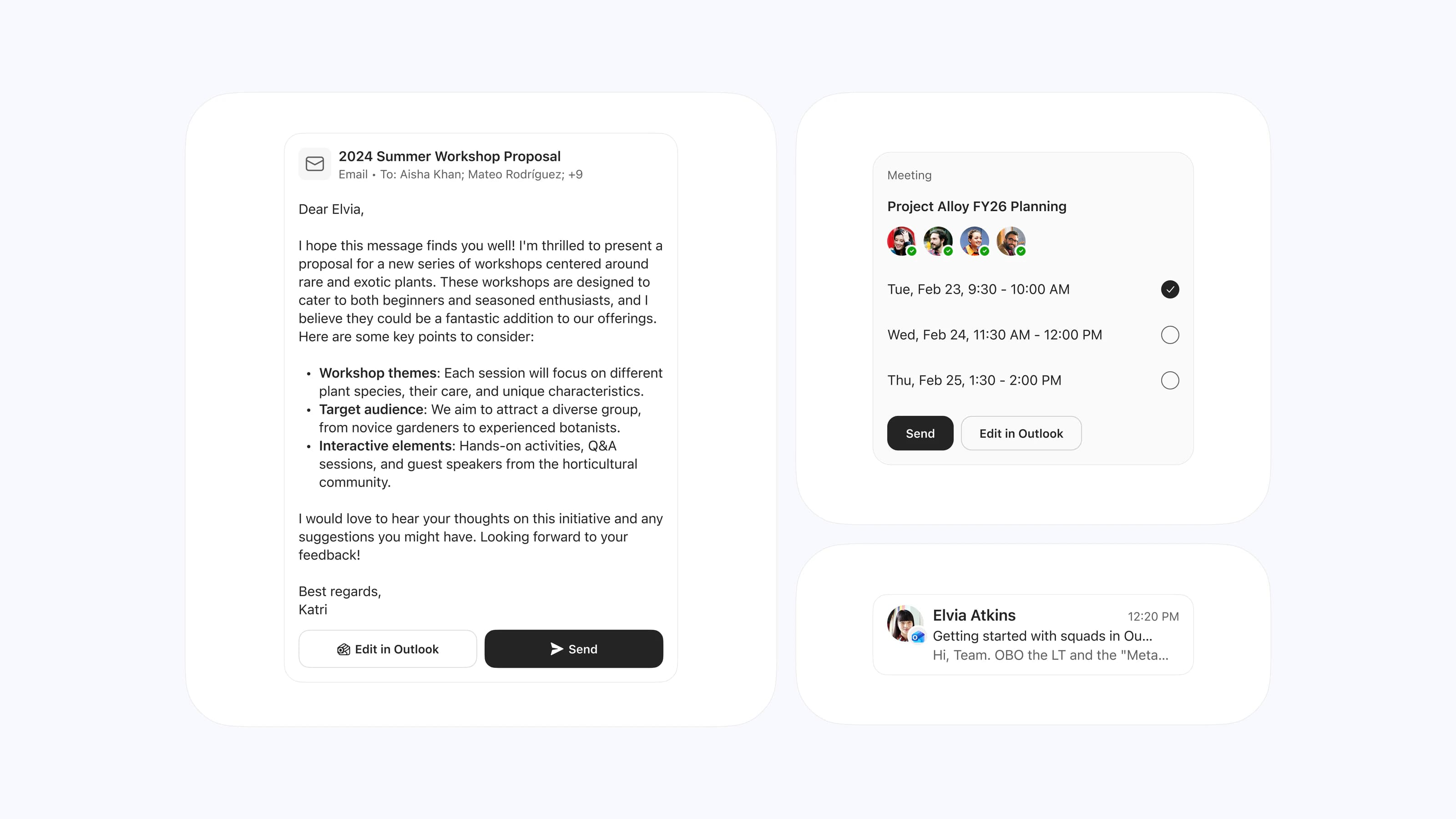
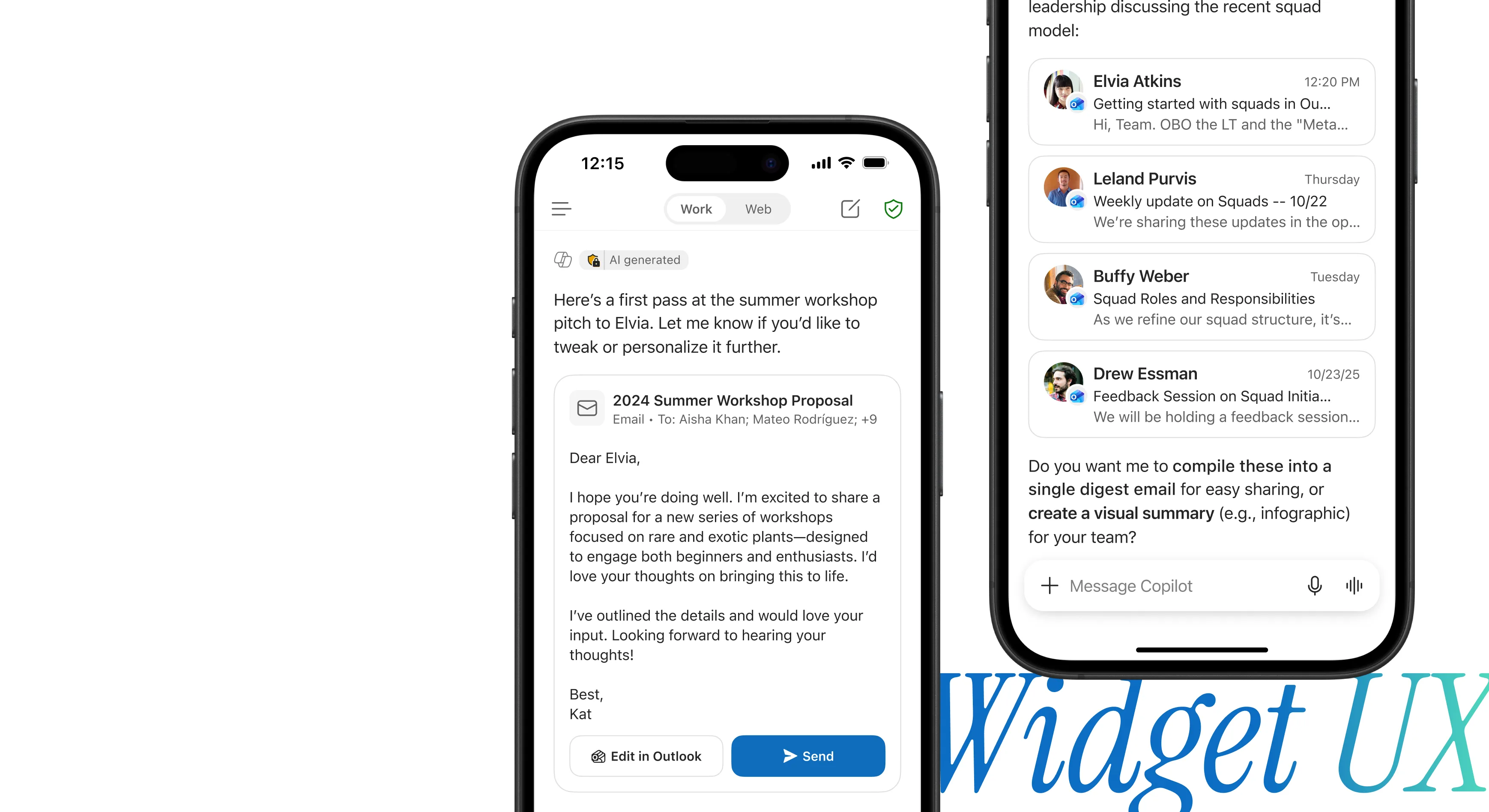
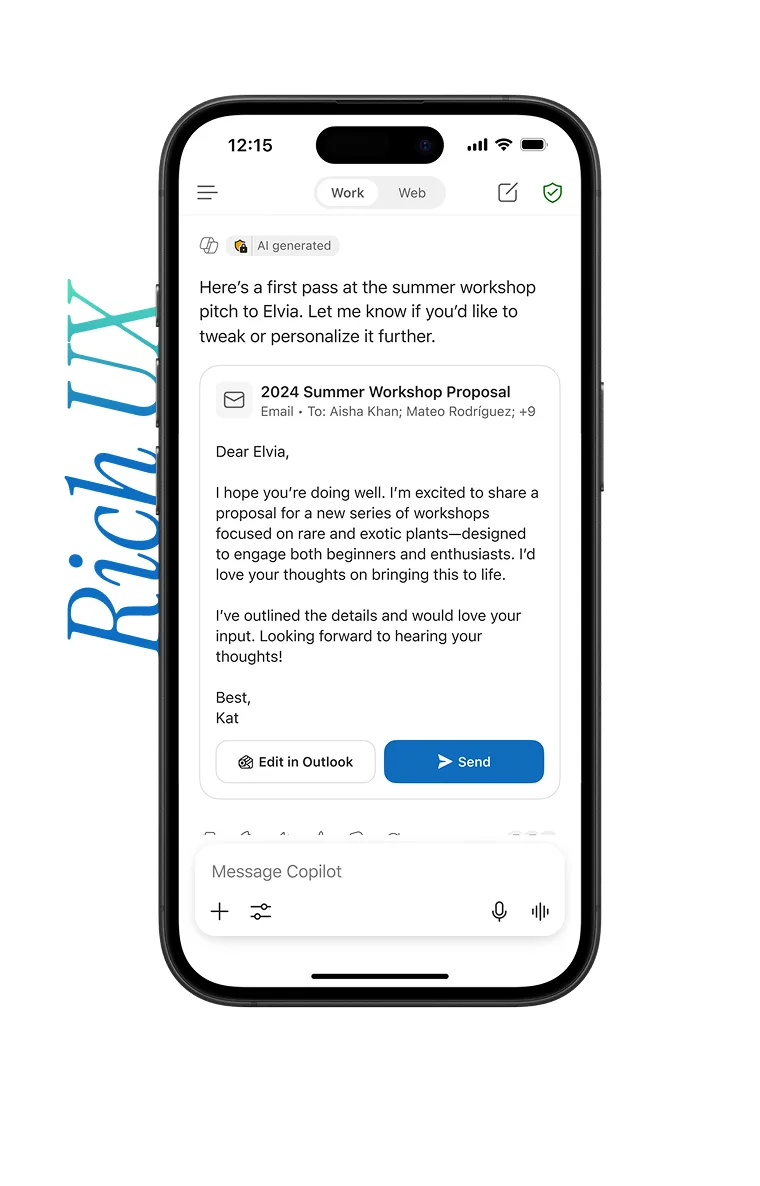
As our user base grew, research and data pointed at actionability and ‘moving work forwards’ as one of the top gaps to differentiate ourselves. I designed the first set of widget experiences to bring email experiences both within and outside Outlook, which helped shape how ‘rich’ interaction patterns show up in chat as a system.